ALL YOUR STREAMS.
ONE CHAT.
Twitch. YouTube Live. Kick. Velora. Read, reply, moderate, and bring your community on-stream from one streamer-first desktop client.
 Kick
Kick Velora
Windows SmartScreen information
Neon MultiStream Chat is distributed without a paid commercial code-signing certificate. Windows may show an Unknown publisher or SmartScreen warning.
Verify the v1.3.122 download with SHA256:be421b216b4d99f8e8e2a516470888b3d71ace3495b92736fb3f4487deddd1fc
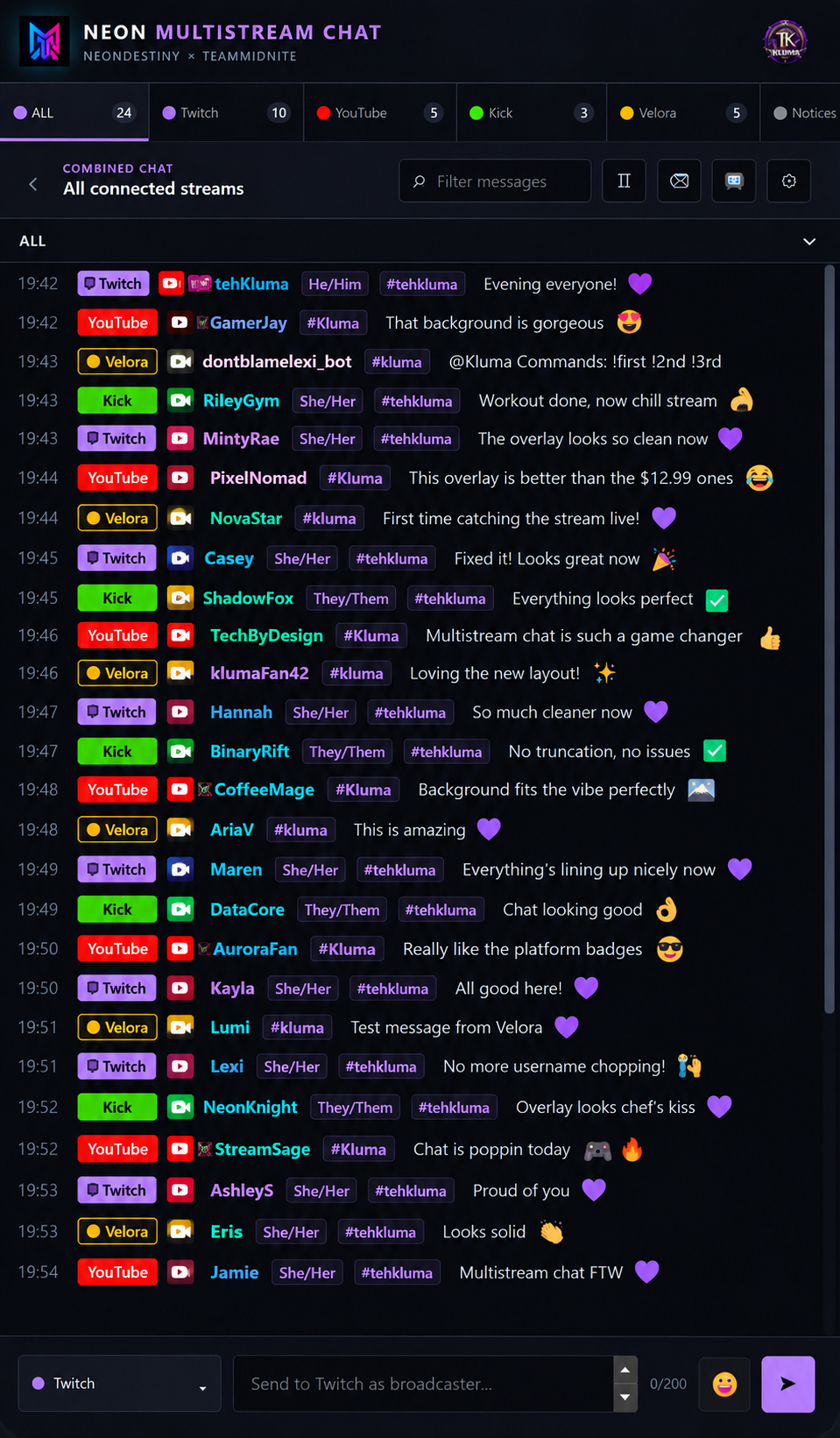
Built for Streamers & OBS
Unified Stream Chat
Read all your live viewers across Twitch, YouTube, Kick, and Velora seamlessly in one combined real-time stream.
OBS Chat Overlay
Send customizable horizontal or vertical chat overlays to OBS with platform badges, fade controls, platform filters, and bot filtering.
Platform-Aware Emotes
Use the emotes your authenticated accounts can actually send, with native Twitch emotes and platform-aware capabilities in the composer.
Streamer-Controlled Bot Filtering
Keep bot messages in main chat while choosing which known or custom platform bots stay out of your OBS and Pop-Out overlays.
NeonLogin Account Sync
Manage Twitch, YouTube, Kick, and Velora connections through one account hub with persistent authorization across app launches.
Compact Streamer Workspace
Resize Neon beside OBS or keep it on a second monitor while one unified workspace handles reading, replying, and moderation.
Ready to Run
Download the desktop app for Windows, macOS, or Linux and start connecting your streaming accounts.
No Installation Needed
Native desktop packages are available as a portable Windows executable, macOS DMG, or Linux AppImage.
Quick Setup Guide
Download Executable
Choose Windows, macOS, or Linux above. Windows users get Neon-Multistream-1.3.122-x64.exe; macOS and Linux users get native packages for Intel and ARM64 where supported.
Sign In & Connect Accounts
Sign in with NeonLogin, then connect the streaming accounts you want to use with Neon MultiStream. Need to reconnect or change one later? Use NeonLogin Settings.
Place & Stream
Resize the window and snap it alongside OBS Studio or your secondary monitor to manage all your chats effortlessly.
Having Login Problems?
If a platform shows disconnected, authorization expires, or messages stop authenticating, check NeonLogin first.
Open NeonLogin SettingsInternet access is needed for live chat, sign-in, and platform connections.
Need help or have an idea?
Use the public project page to report bugs, request features, or follow development updates.